Installation Guide
Getting Started
Install Virfice from the WordPress dashboard or upload the plugin ZIP manually.
You can install Virfice from your WordPress dashboard or upload the plugin file manually.
Method 1: Install from the WordPress dashboard
- Go to Plugins → Add New Plugin.
- Search for Virfice.
- Click Install Now on the Virfice plugin, then click Activate.
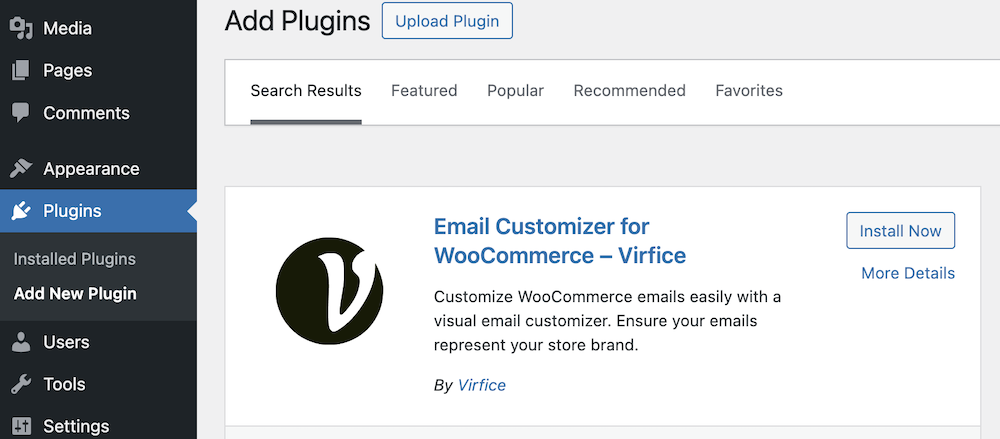
After activation, a Virfice menu appears in your dashboard.

Method 2: Upload the plugin manually
- Download Virfice from the WordPress plugin directory.
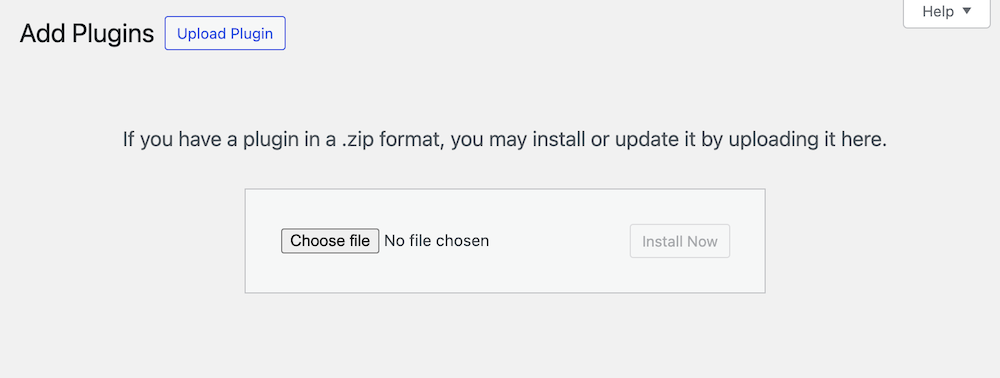
- Go to Plugins → Add New Plugin → Upload Plugin.
- Choose the ZIP file and click Install Now.
- Click Activate.
Next steps
Continue with the Quick Start Checklist. If you bought Pro, see Install and Activate Virfice Pro.